

Omega generates the device private key on the device and sends only a CSR. That key never leaves the device and is never known to the platform.
When to use JITR
How it works
- In the console you issue a fleet bootstrap certificate and download the bundle.
- On first boot Omega generates an ECDSA P-256 key pair and a CSR with
CN = device_name. - Omega signs the request with the bootstrap private key and posts the CSR, the bootstrap certificate PEM, and that signature to the platform JITR endpoint.
- The platform verifies the signature against the bootstrap certificate, checks the certificate is active and belongs to the claimed org and fleet, creates the device record, signs the CSR, and decrements the certificate’s device quota.
- Omega writes
device.crt,device.key, andmetadata.json, then connects over mTLS.
Before you start
There is no per-fleet “enable JITR” toggle. A fleet supports JITR as soon as it has an active bootstrap certificate.
Step-by-step
1
Open Fleet & Devices
In the console, open Fleet & Devices for your project. Pick the fleet that will own the devices (or create one first).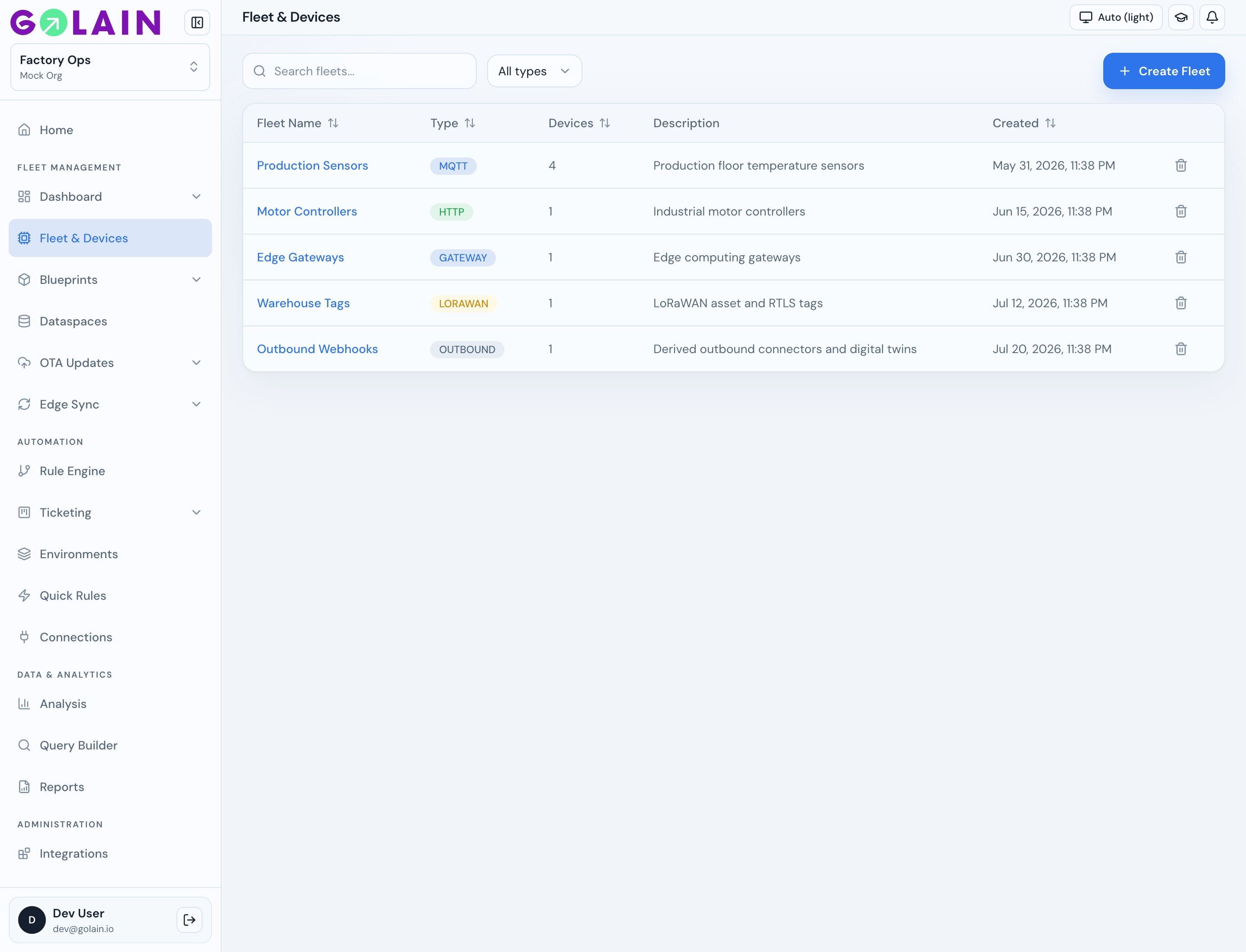
2
Open the fleet
Click the fleet name. You land on the Devices tab — leave it empty for JITR fleets. Devices appear here after enrollment.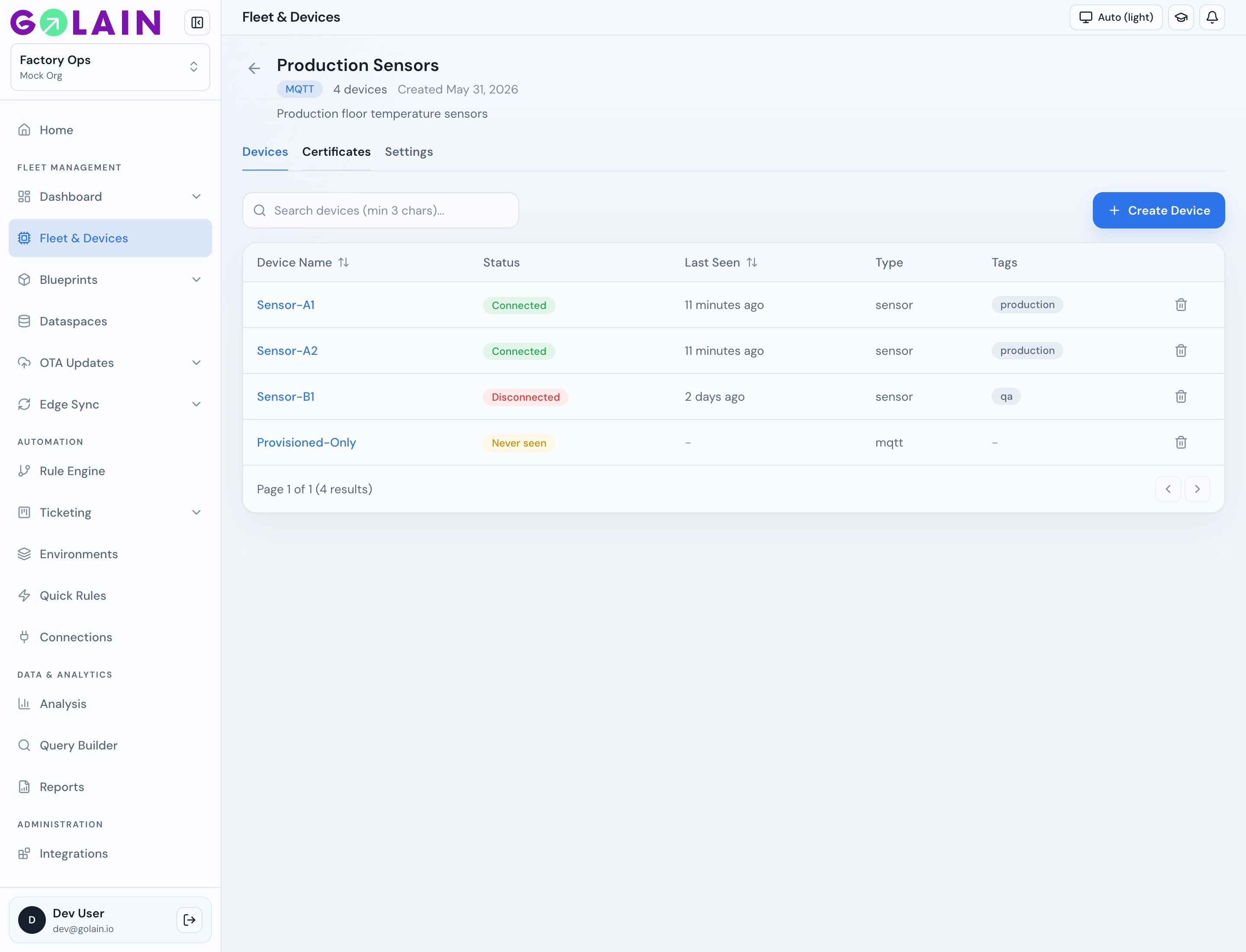
3
Open Certificates
Select the Certificates tab. Active bootstrap certificates show serial, status, devices enrolled (used / quota), and expiry.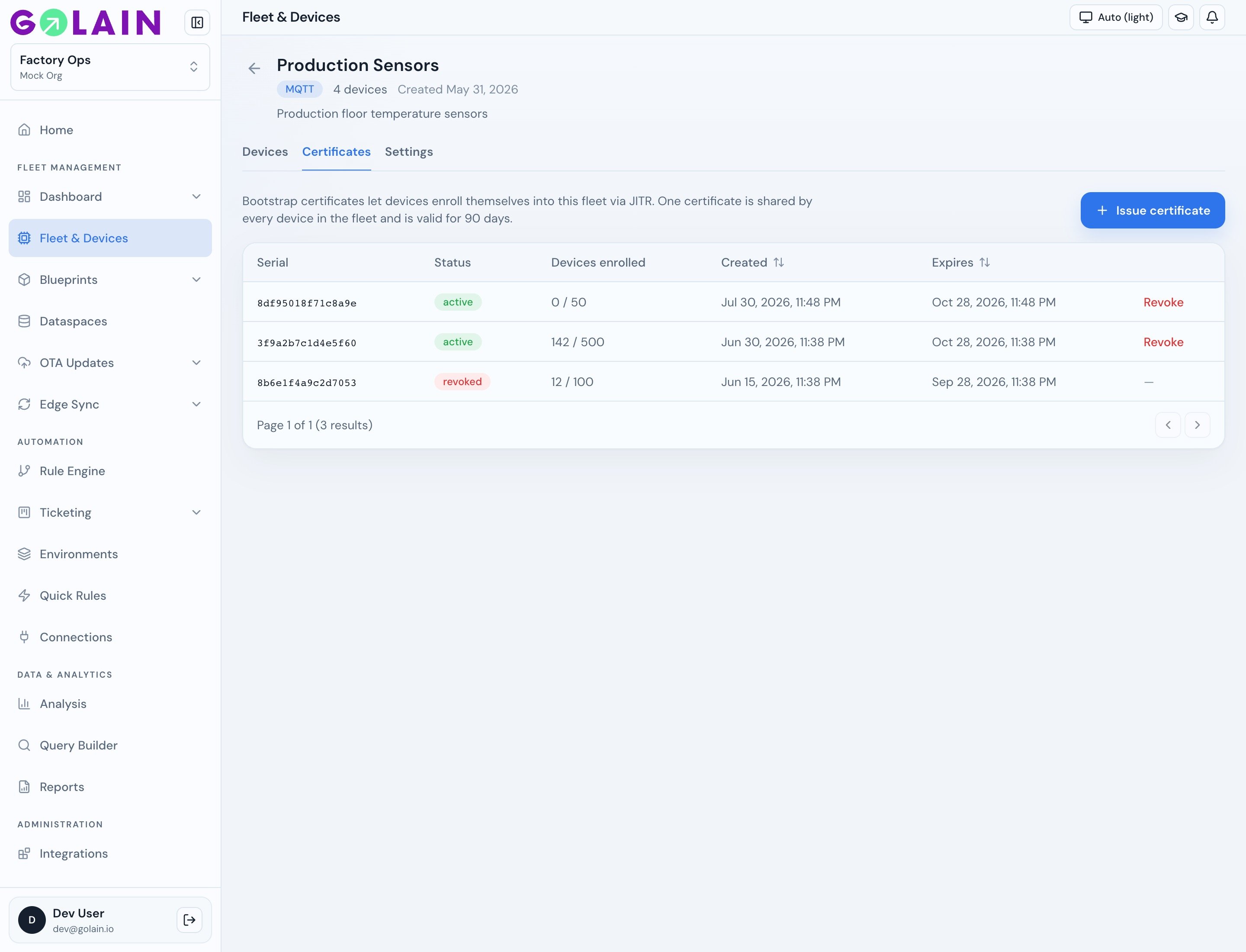
4
Issue a bootstrap certificate
Click Issue certificate. Set Device quota — how many devices this certificate may enroll. Quota is fixed once issued.Treat a bootstrap certificate as a batch credential, not a fleet-wide one: the quota is the blast radius if it leaks. Leaving the field empty takes your deployment’s configured default (25 on Golain Cloud), and the ceiling is 100 unless your instance raises it. Self-hosted operators can set a higher ceiling — see Raising the quota ceiling.Certificates default to a 30-day lifetime (90 days maximum). Issue one per production run rather than one per fleet.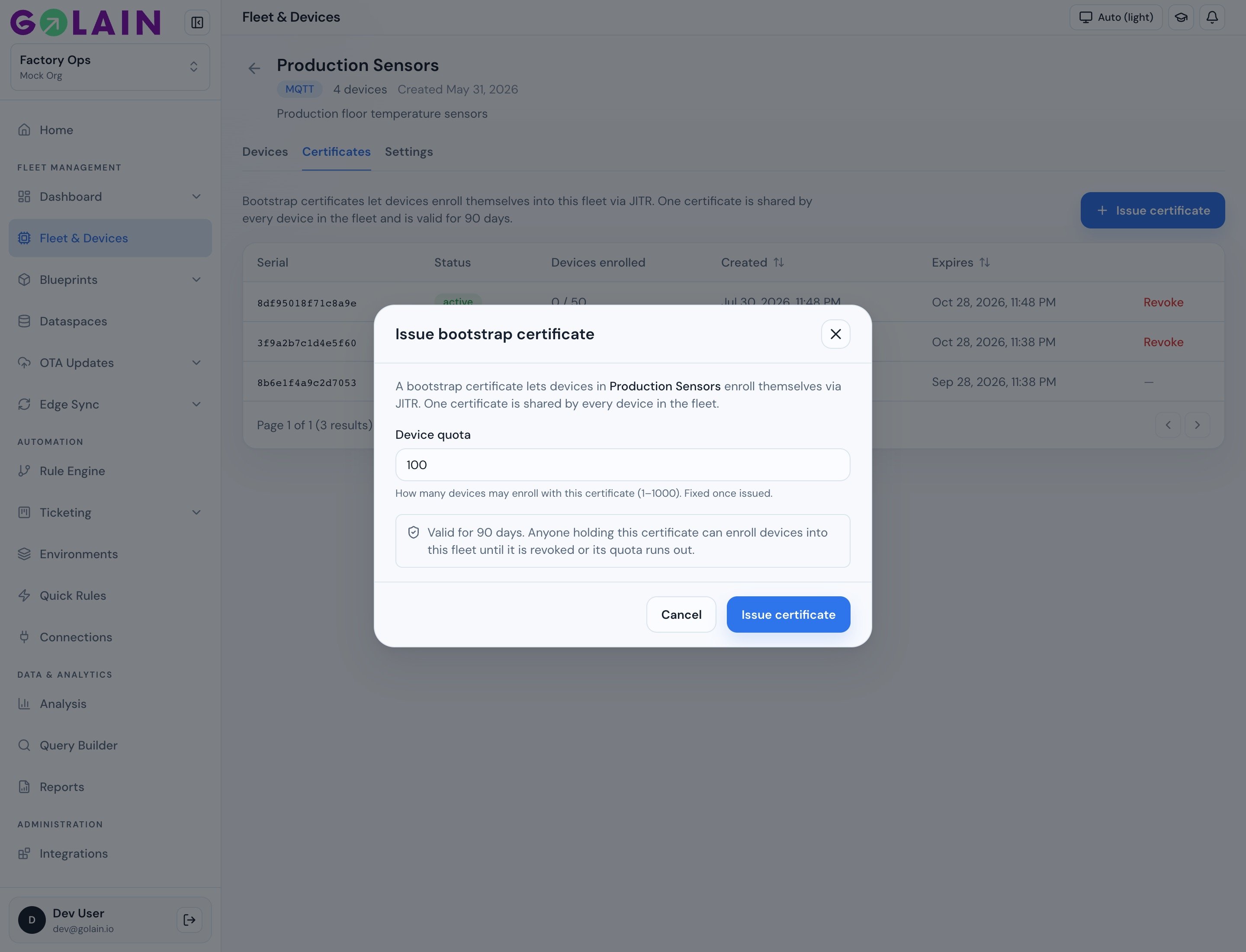
5
Download the bootstrap bundle
The console shows serial, certificate ID, quota, and expiry. Download immediately.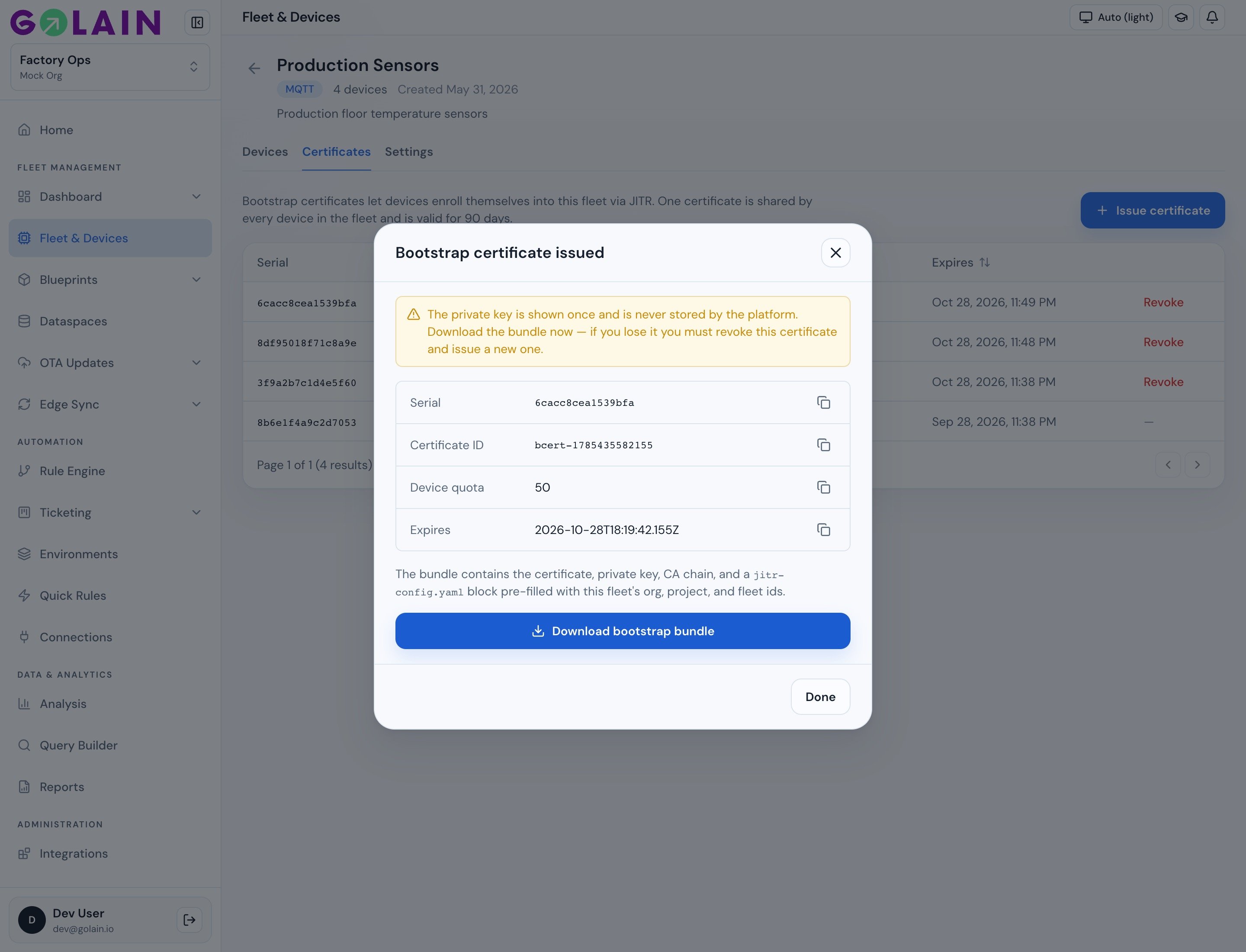
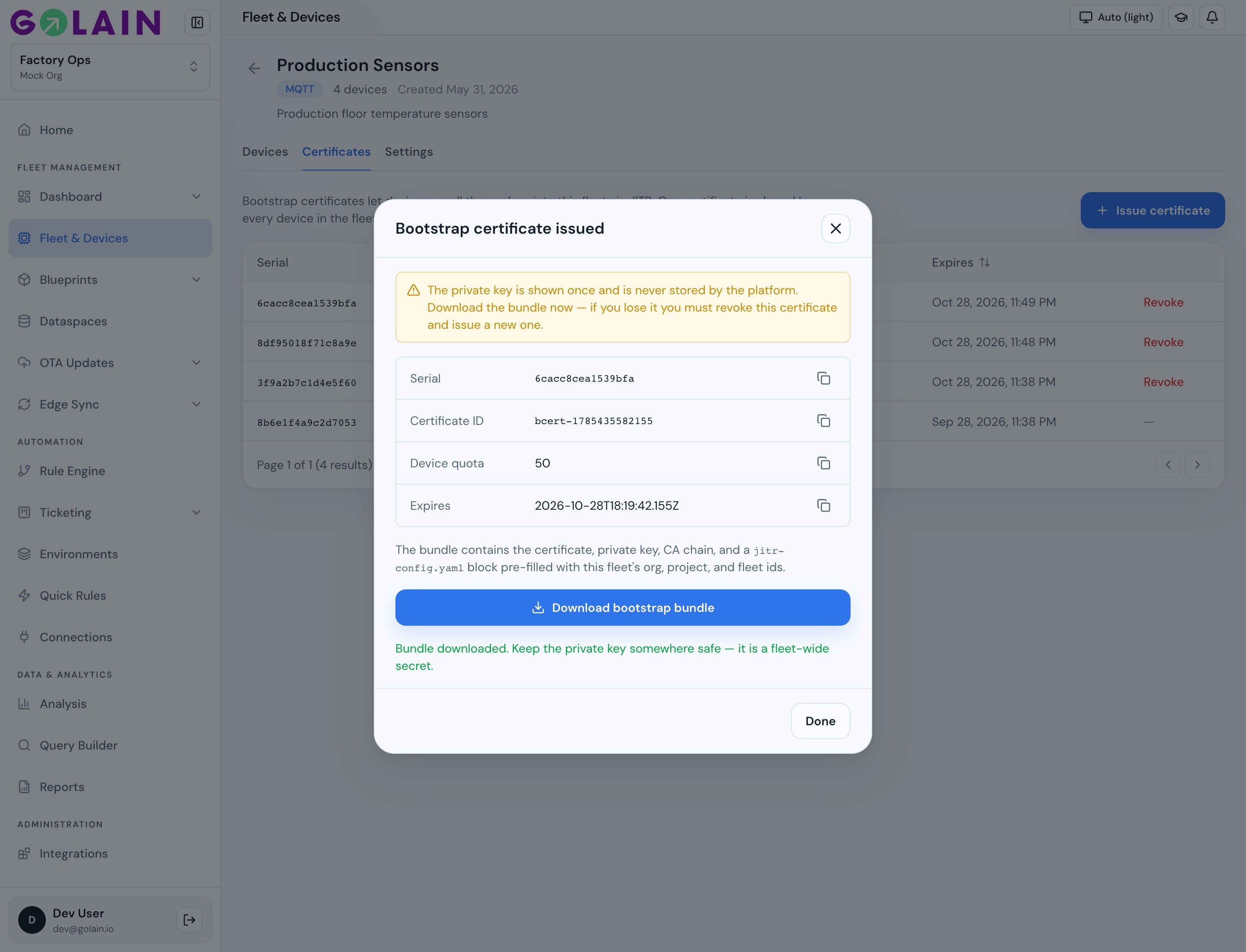
After download, the modal confirms the bundle was saved. Click Done.
6
Confirm the certificate is active
The Certificates table lists the new certificate as active. Use Revoke if a bootstrap certificate or its key ever leaks — already-enrolled devices keep working.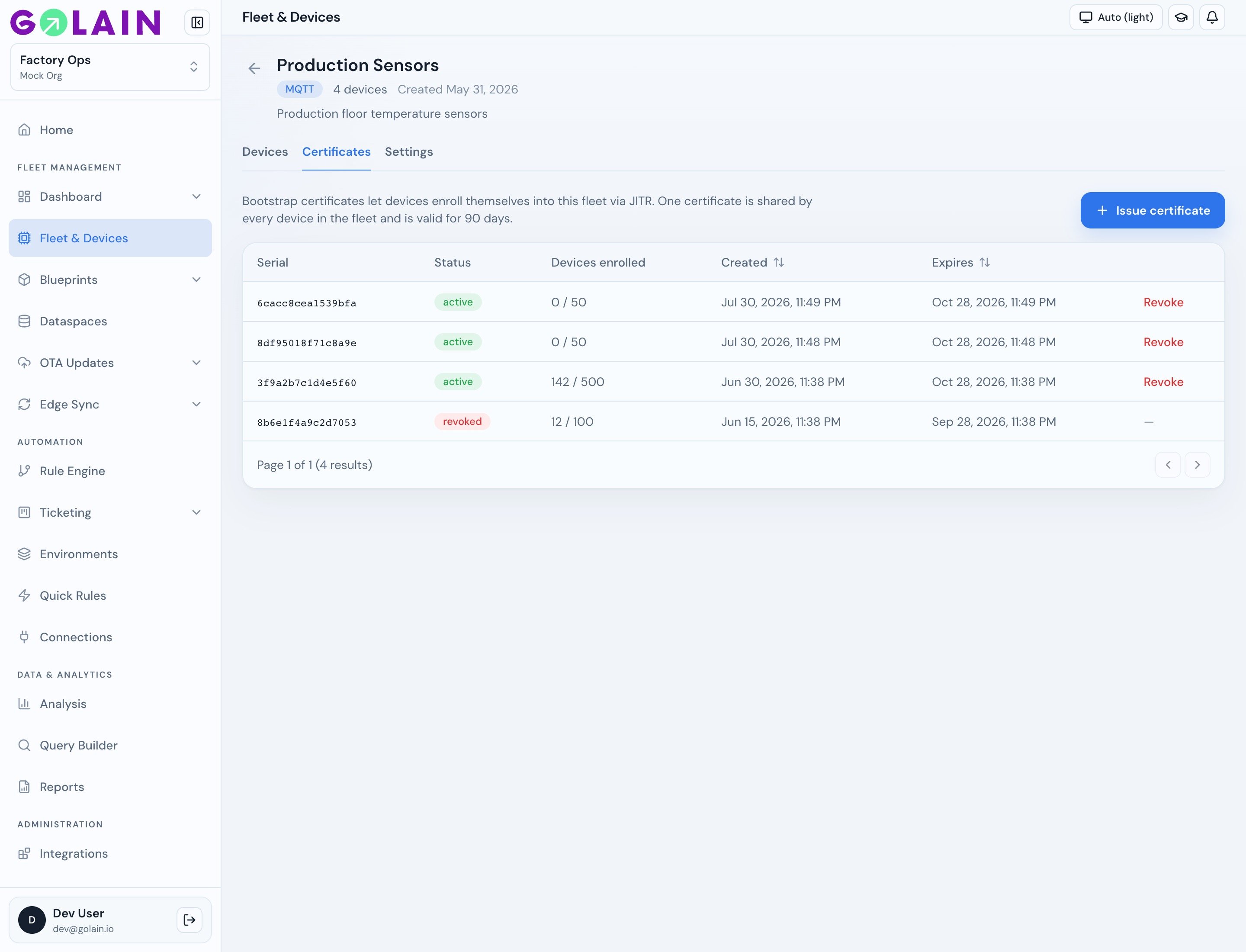
7
Place the bootstrap certificate and key on the device
Copy both files into your image. The same pair goes on every device in the fleet.
8
Add the JITR block to your Omega profile
Merge the The downloaded The environment value wins when the named variable is set and non-empty; otherwise the YAML value stands. Load a file of these with
connection.jitr block from jitr-config.yaml into your client profile (or paste the values by hand):jitr-config.yaml already bakes the /{org4}_{project4}/ prefixes for your fleet. You only need to export a unique OMEGA_DEVICE_NAME per device.Omitting the
jitr: block entirely disables JITR.Per-device values via environment variables. device_name differs on every unit, so set it from the environment rather than baking it into the image:omega-agent --env /etc/omega/device.env.9
Confirm the root topic
The bootstrap bundle sets
root_topic to /{org4}_{project4}/{{ OMEGA_DEVICE_NAME }} for your fleet. With OMEGA_DEVICE_NAME=press-01 that becomes /e023_4f19/press-01 — the path the broker ACL allows.If you leave root_topic empty, Omega defaults to omega/{device_id}, which the broker denies. mTLS connects, then every subscribe fails.10
Run Omega
cert_dir:On later starts Omega skips enrollment if
device.crt and device.key exist, are non-empty, and the certificate is valid with more than 24 hours remaining. Otherwise it enrolls again.11
Verify in the console
Omega logs the assigned device id and broker URL. In Fleet & Devices, open the fleet — the new device appears under Devices. Open it to confirm identity, MQTT details, and connectivity.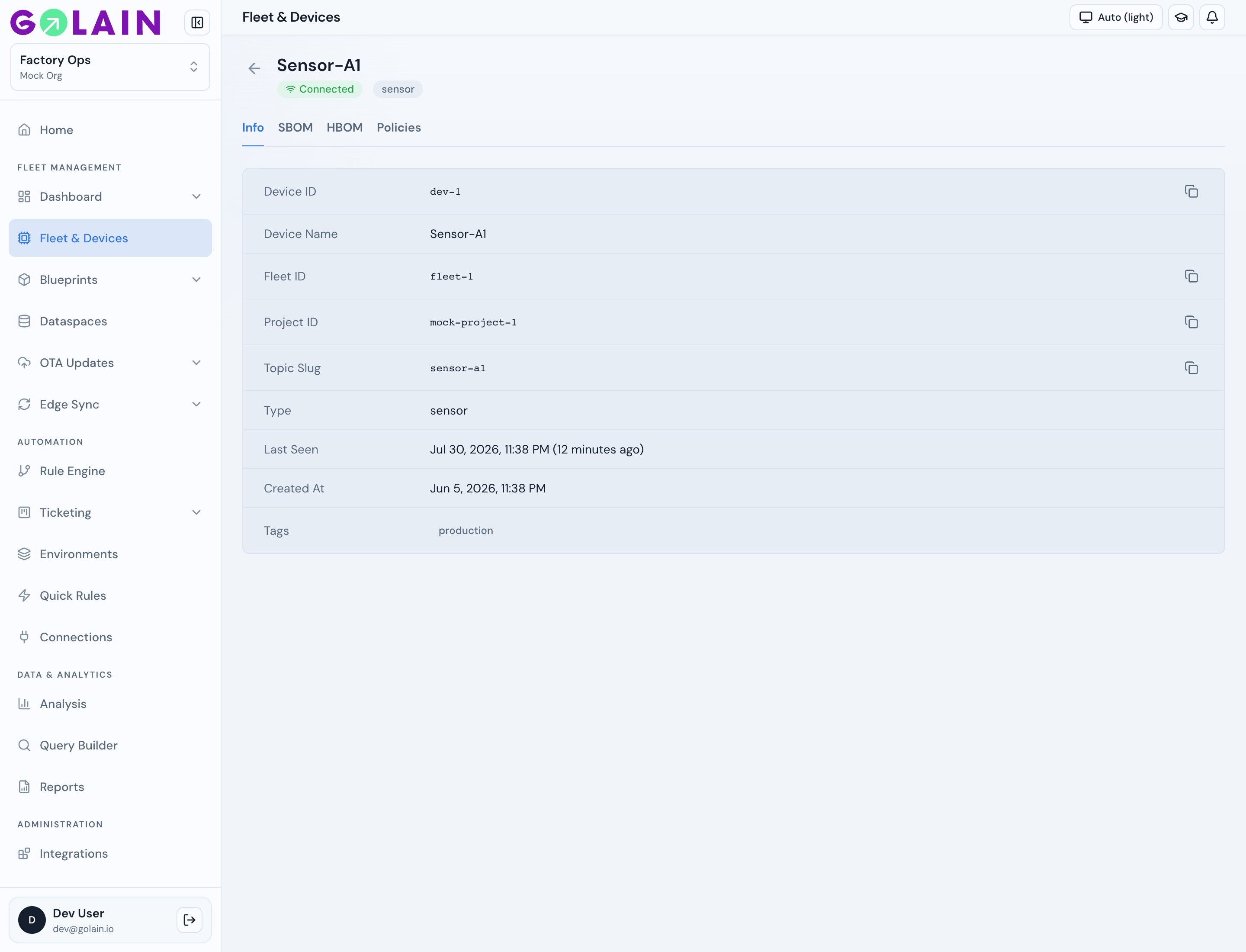
Enroll without starting the agent
omega-core ships a one-shot binary for factory tooling and CI. It performs the same enrollment and writes the same three files, then exits.
0:
Error: … to stderr and exits 1. This binary takes no flags; every value comes from the environment, and all except OMEGA_JITR_CERT_DIR are required.
Certificate lifetime and renewal
Device certificates are valid for 90 days. Renewal runs over MQTT once the device is connected, configured underconnection.cert_renewal:
OMEGA_CERT_RENEW_FORCE=1 to force a renewal attempt regardless of the window when testing.
If a device misses its renewal window
A device that is offline across its whole renewal window comes back holding an expired certificate. It recovers itself — you do not need to touch it:- The broker accepts the expired certificate for a renewal-only session. That session may do exactly one thing: publish a CSR to its own renewal topic and receive the new chain. Telemetry, OTA and every other topic are refused, and the device is not reported online.
- Omega notices its own certificate has lapsed and renews before starting any modules, so nothing else publishes on the restricted session.
- Once the new certificate is installed the connection is re-established as a normal, unrestricted session.
renew_window_days above, which is how long before expiry a healthy device starts renewing. It is deliberately short: within it, a stolen certificate and its key could also mint a fresh certificate. Self-hosted operators can change it with CERT_EXPIRED_RENEWAL_GRACE_DAYS (maximum 90); it must be set to the same value for the broker and the cert worker, or a device gets a session it cannot use.
Past the grace window the device must re-enroll: it runs JITR again with a new key, and the platform issues a new certificate for the same device record. Its device_id, history and topics are preserved.
Re-enrollment is refused while the device still holds a valid certificate. Revoke that certificate first (or disable the device), then re-enroll — otherwise anyone holding the fleet bootstrap credential could take over a device that is running normally.
Managing bootstrap certificates
Revoke immediately if a bootstrap certificate and its key leak together — that pair can enroll into the fleet up to the remaining quota. Revoking does not affect devices already enrolled with it.
Bootstrap credential hygiene
The bootstrap pair is a factory credential shared by a production run. Until per-device enrollment tokens ship, these habits are what bound the damage:- Issue per batch, not per fleet. Set the quota to the size of the run.
- Revoke when the run ends. An unrevoked certificate keeps working until it expires.
- Keep the lifetime short. The 30-day default assumes you issue per shipment; a device that boots after the certificate expires cannot enroll, so allow for warehouse and shipping time when you choose it.
- Never log or screenshot the key. The certificate alone is harmless; the pair is not.
- Watch the enrolled count. If Devices enrolled climbs faster than your line produces units, treat the credential as compromised and revoke it.
Raising the quota ceiling
Self-hosted operators can raise the ceiling per instance — a single-day flash of thousands of devices is a legitimate case. The value lives in theinstance_configs table, so it takes effect without a new release or a restart:
Set
value on the row for your instance. Raising it widens what one leaked credential can do, so raise it for the run and lower it afterwards.
Disabling a device
Disabling is the reversible alternative to deleting a compromised or retired device — the record and its history stay:- Its certificate is revoked.
- Any live MQTT session is terminated, not just blocked at next connect.
- It cannot reconnect, renew, or re-enroll while disabled — JITR refuses a disabled device name.
Troubleshooting
Enrollment failures are fatal to startup by design: a single request, no retry loop. Run Omega under a supervisor so transient API outages are retried by process restart.
Next steps
- Connect to Golain — connection block reference
- Configure Omega — full profile reference
- Fleets and devices — console view of enrolled devices
- Edge data sync — SQLite replication once connected